Possible Question
- How to have the latest conversation/reply appear on the top of the ticket details page?
- Not able to see any setting to sort conversations.
Resolution Path
- To enable 'Reverse Sort' with latest conversation on top for the entire helpdesk, go to Admin > Account > Helpdesk settings , Find the sort conversations section and choose ‘show newest on top’ from the dropdown and save the settings.

- If sort conversation has to be set only for a specific agent which is different from the general settings for the helpdesk as mentioned in the above point, the agent has to click on their Profile picutre --> Profile settings and select the option to set their preference.
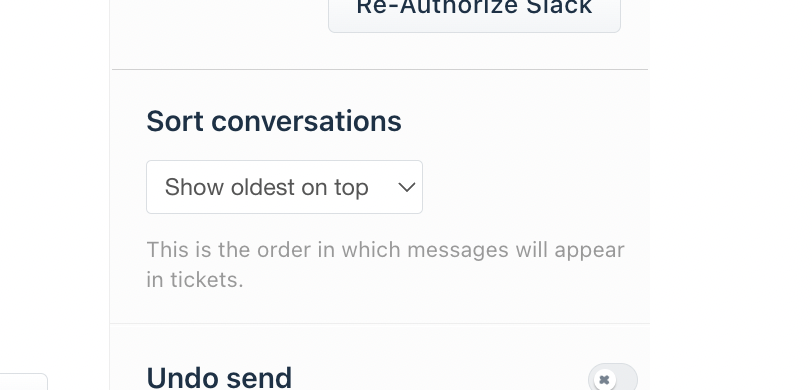
- If the agents do not see any setting or option to sort conversations check the plan that their account is on and if the feature is applicable for their plan.
- 'Sort conversations' is not available for Sprout/Free plans and Blossom Classic and Blossom'17 plans.
Was this article helpful?
That’s Great!
Thank you for your feedback
Sorry! We couldn't be helpful
Thank you for your feedback
Feedback sent
We appreciate your effort and will try to fix the article