Possible Questions :
- Please tell me from which IP address this ticket was raised ?
- Who created this ticket ?
Resolution Path :
In order to understand from which IP address a ticket was created from, we can check this based on the channel from which the ticket has been raised.
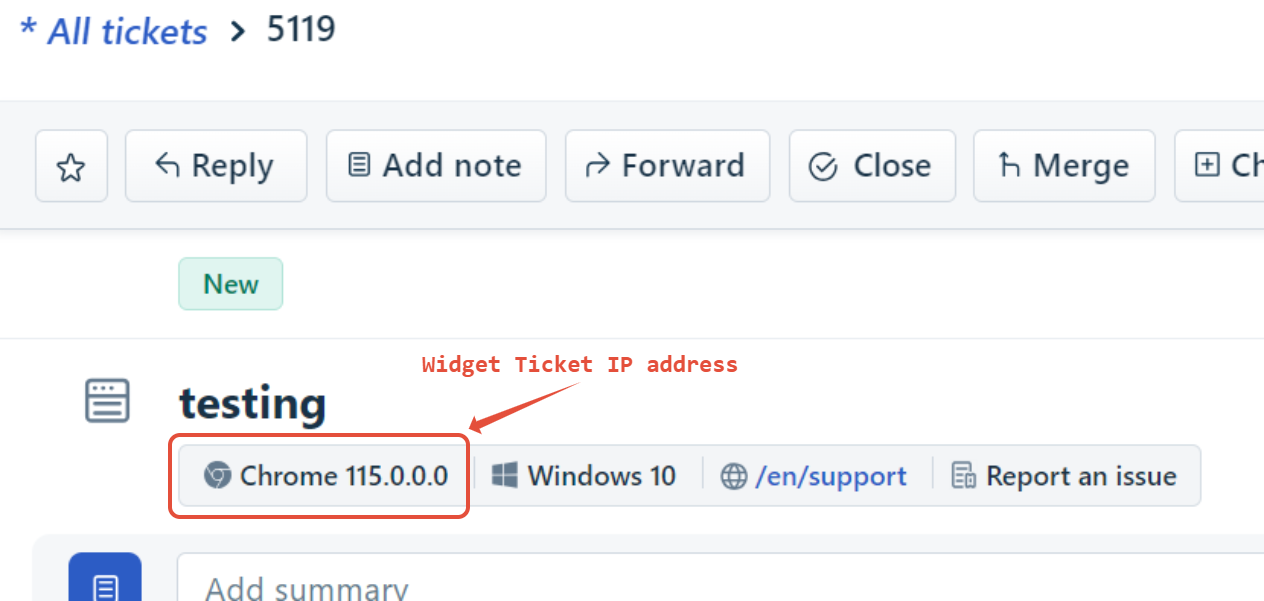
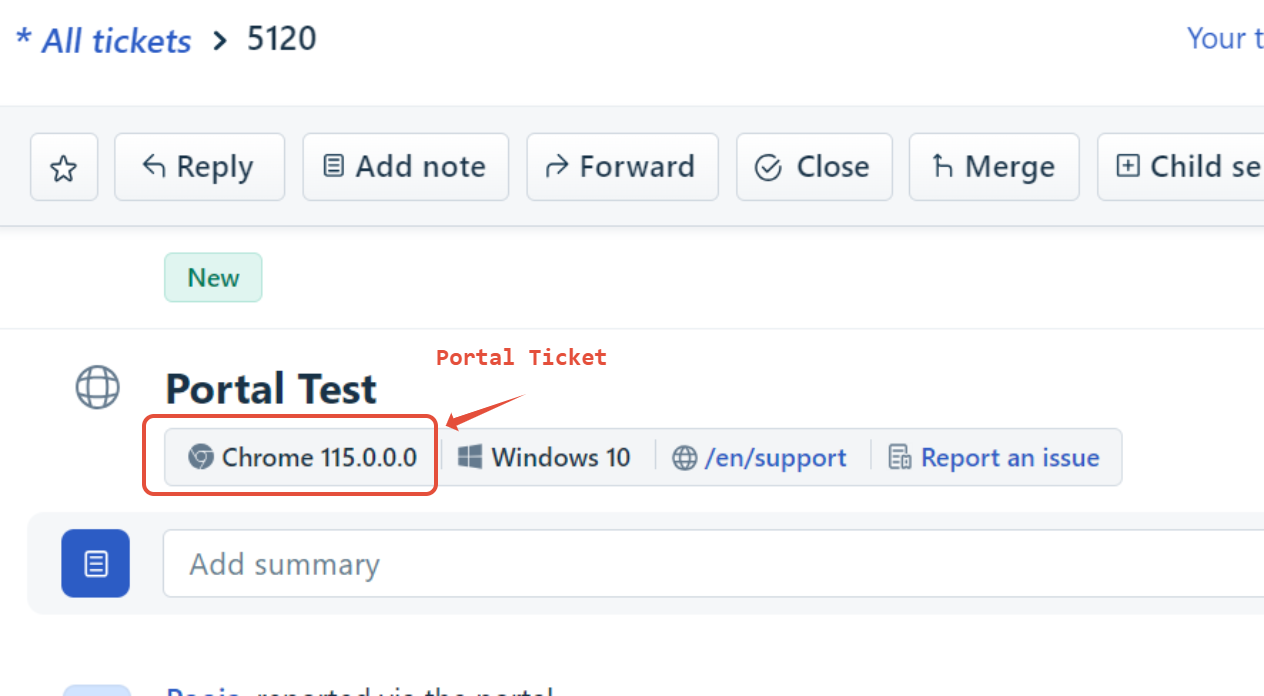
- For widget, and Portal Sources, the product will display the IP address within the ticket as shown below :
- For tickets raised through Email, you can follow the steps below to fetch the IP address from the Logs :
- Get the Email's Message Header's from the customer's support mailbox. Here's a link on how to fetch email headers that you can share with the customer --> https://mxtoolbox.com/Public/Content/EmailHeaders/
- Once you have the headers, copy the Message ID, and use the query below in Haystack (match the Pod) :
"" AND "client-ip".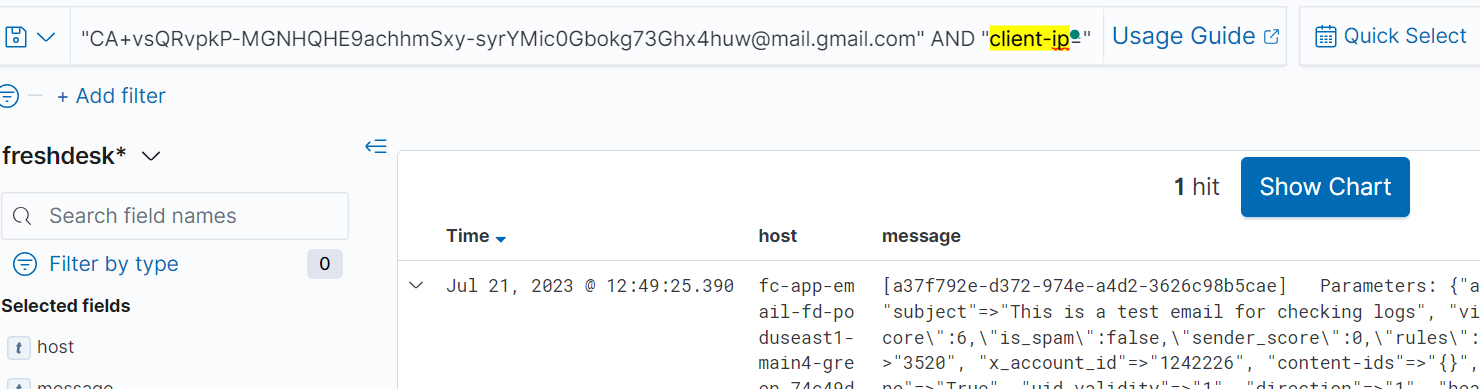
- In the Results that come, you can expand the logset under the "Parameters" keyword, and look for the keyword "client-ip". Right next to it, you would find an IP address that should give the source the Mail server from which the Email was raised. (However this may not necessarily be the IP of the exact User). It is only the IP of the MSP from which the email was sent. Here it is 209.85.220.41
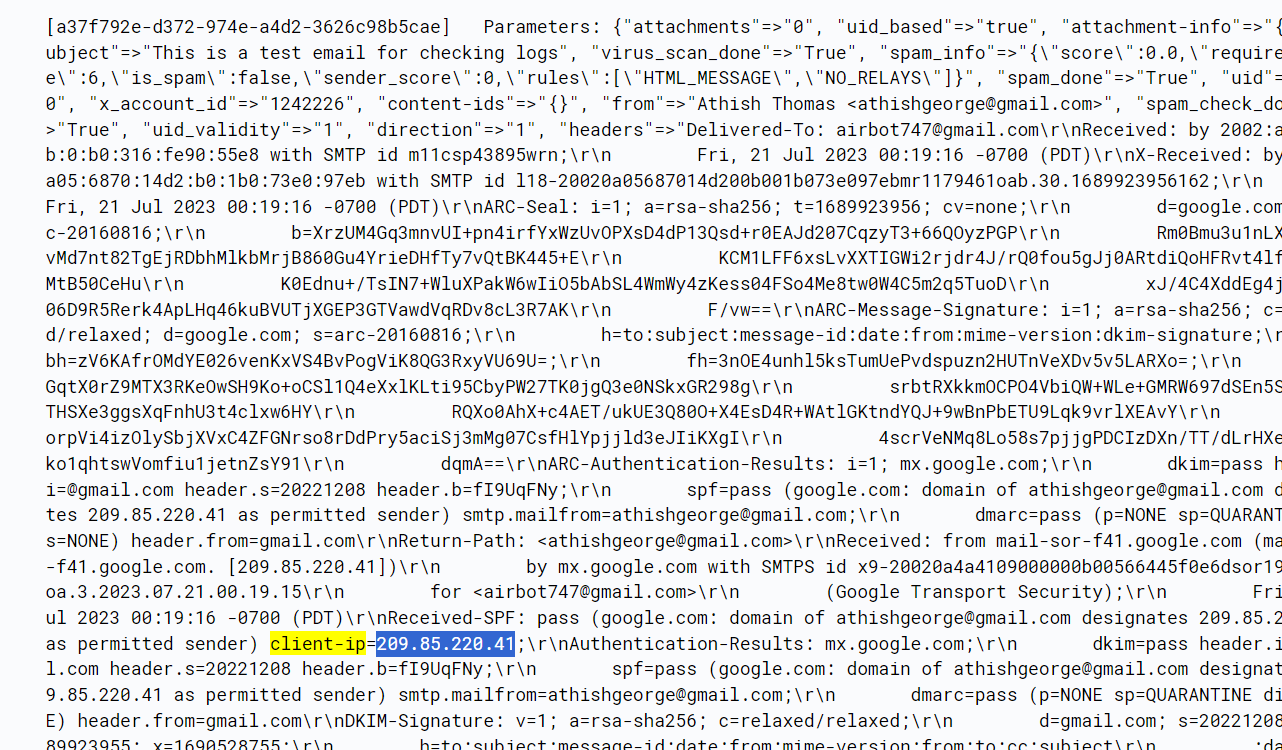
- We do not have a way to get the exact IP of the Sender. We can only obtain the IP of the Mail Server from which the Email was sent. For example, it will be a Gmail IP or Outlook IP.
Was this article helpful?
That’s Great!
Thank you for your feedback
Sorry! We couldn't be helpful
Thank you for your feedback
Feedback sent
We appreciate your effort and will try to fix the article