Possible queries:
How to change the description?
Resolution Path:
Follow the steps below to modify the description
- Navigate to Tickets tab from the left panel of the page
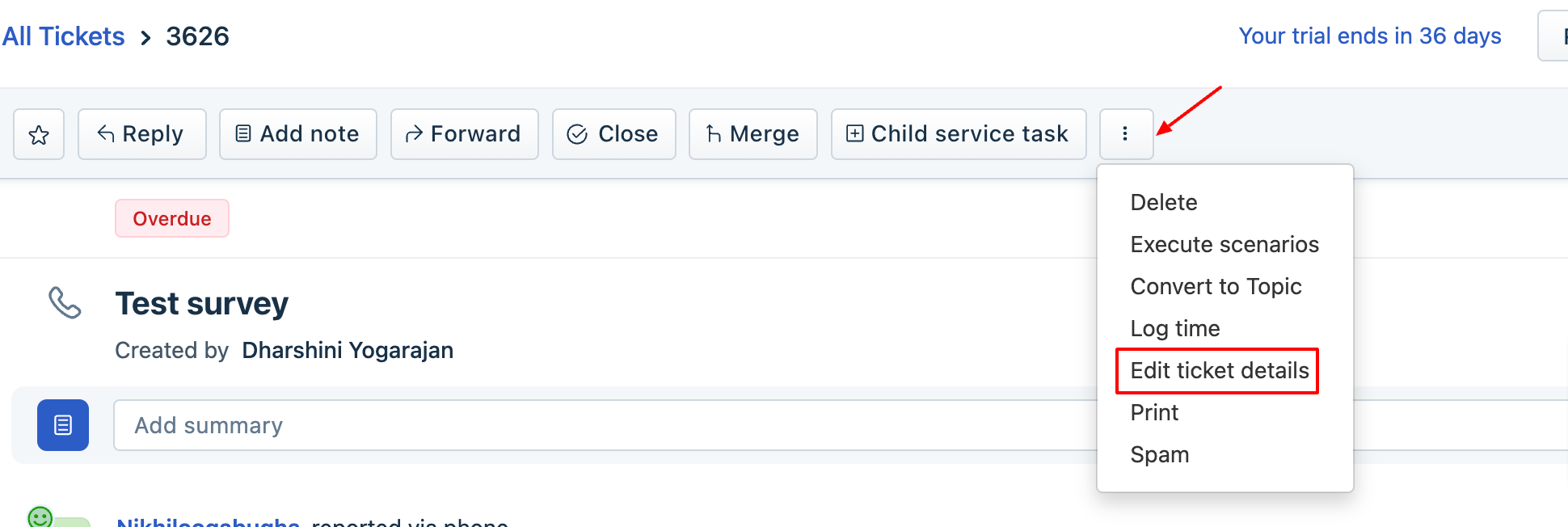
- Go to a ticket > click on three dots from the ticket details page > click Edit ticket details as shown below.
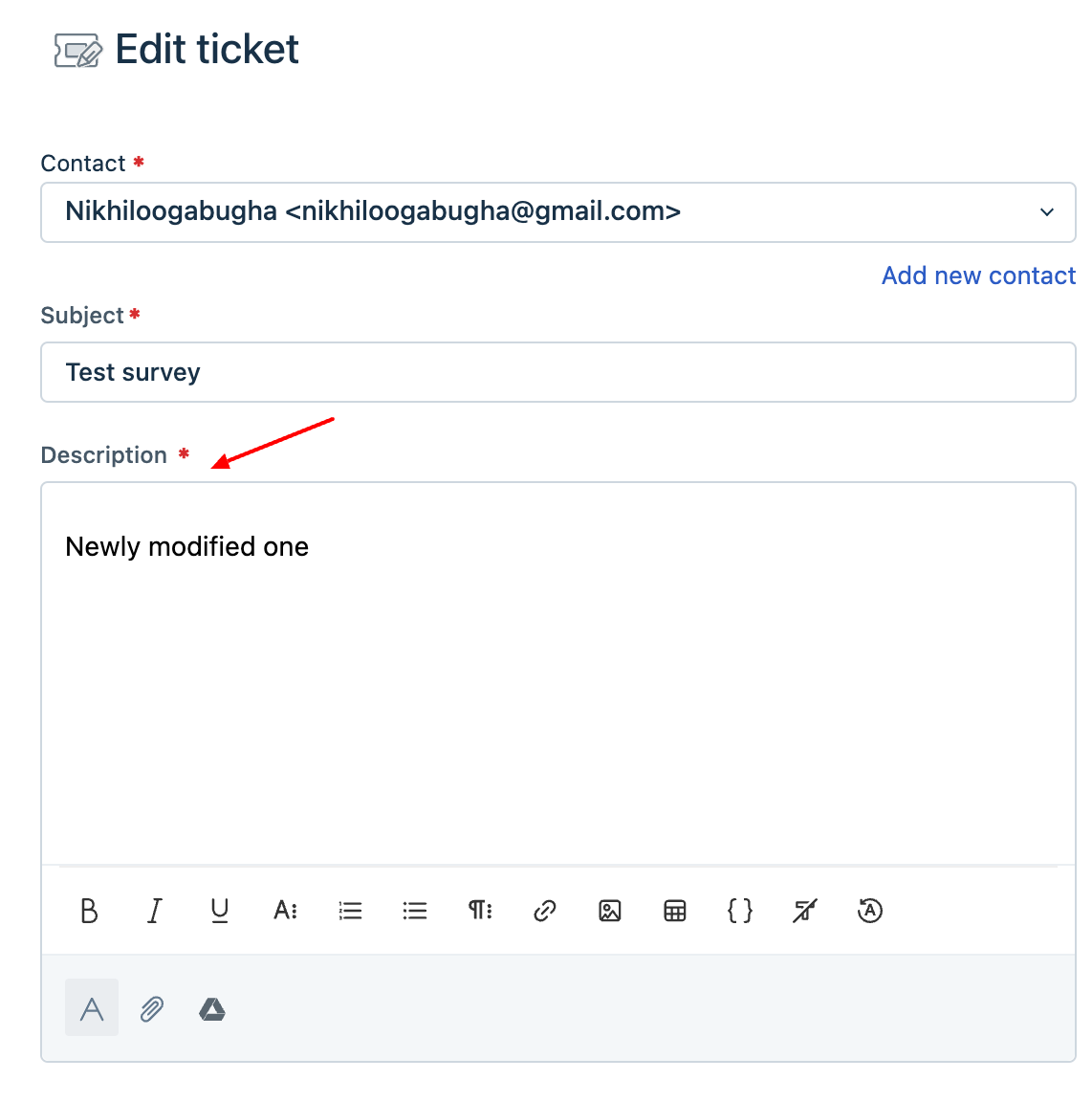
- From the edit ticket modal, you can change the required description > click Save. Now the ticket's description will be updated to the newly modified one.
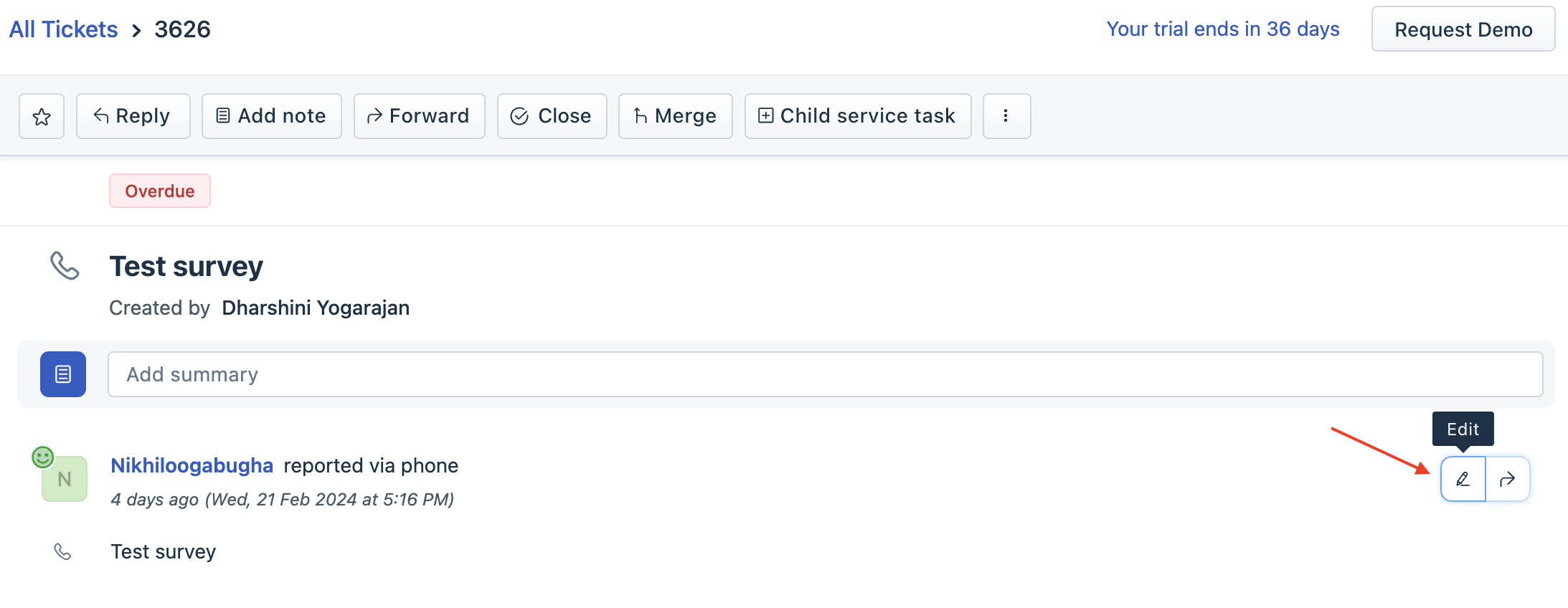
You can also click on the Edit icon available in the ticket description area and modify the same.
Was this article helpful?
That’s Great!
Thank you for your feedback
Sorry! We couldn't be helpful
Thank you for your feedback
Feedback sent
We appreciate your effort and will try to fix the article