You can forward tickets to any third-party vendors or external users. For example, you can forward the ticket to your Inventory Partner or the Development Team directly from the ticket view.
However, note that any subsequent replies from the recipient will be added as a private note in the ticket. You can further respond to these replies from third parties and continue the conversation in the ticket thread.
To forward a ticket to the external user:
Select the ticket you want to forward.
Click on the Forward button within the ticket.
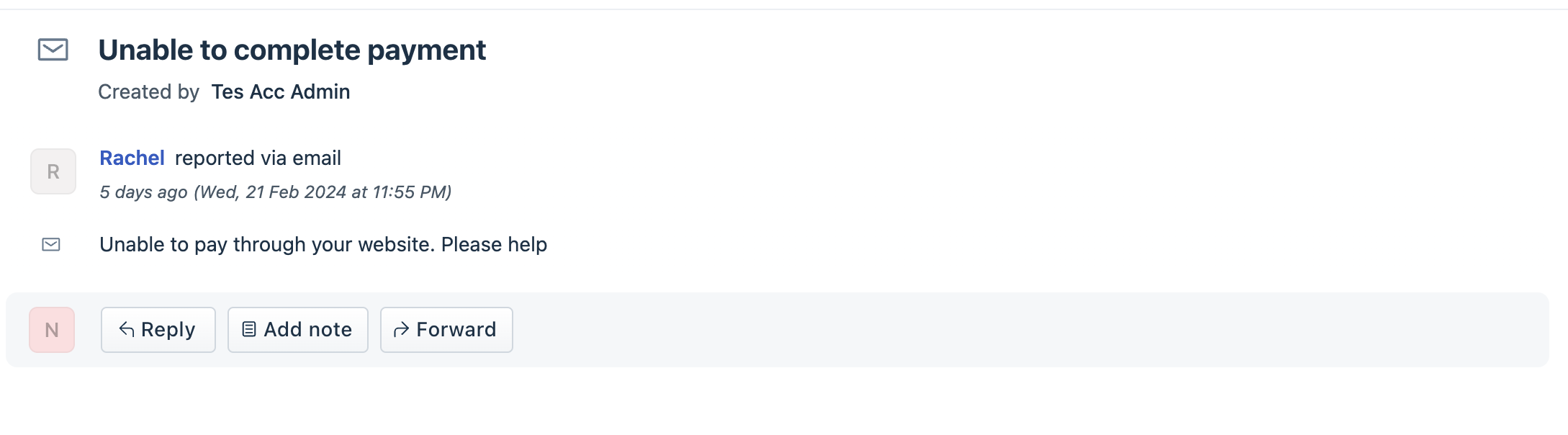
Enter the recipient's email address.
Note: If you are on the Growth plan or above, you can add the public ticket URL in the email message of that ticket.You can also attach files if required.
Click on the File button and choose the appropriate file. If you have many attachments, hover over the attachments in the previous reply and click Add to response (available from Growth plans) to add the attachments to the reply that you are forwarding.Click Forward.
Note: The Forward option will only forward the last four interactions in the ticket. You can also forward an individual reply from the ticket. However, you cannot forward Private Notes added to the ticket.
Was this article helpful?
That’s Great!
Thank you for your feedback
Sorry! We couldn't be helpful
Thank you for your feedback
Feedback sent
We appreciate your effort and will try to fix the article