When you're working on a ticket, you can easily add todos from the right sidebar. If you'd like to call Sadie at 9 pm tomorrow to follow up and check if things are fine, you can create a todo and set a reminder against it. Once you add a todo, you can click 'Set reminder' to mark a date and time against it.
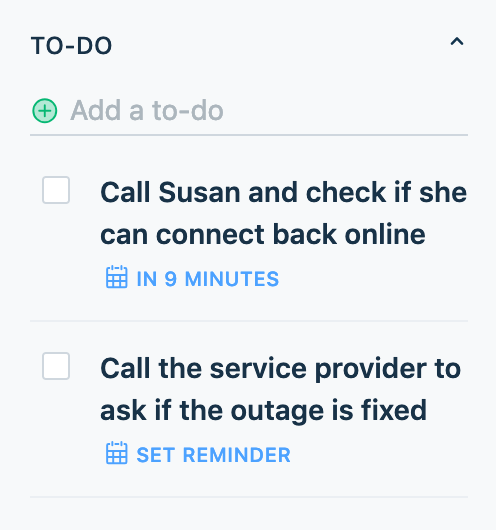
Quick guide to adding to-dos and setting reminders:
- Login to your Freshdesk account
- Open the required ticket you are looking to add a to-do for
- You'll find the To-Do panel on the extreme right of the ticket details page
- Click on the panel for it to expand and add the required to-do
- Once a to-do is added, click on the 'Set Reminder' option to add a reminder for that to-do
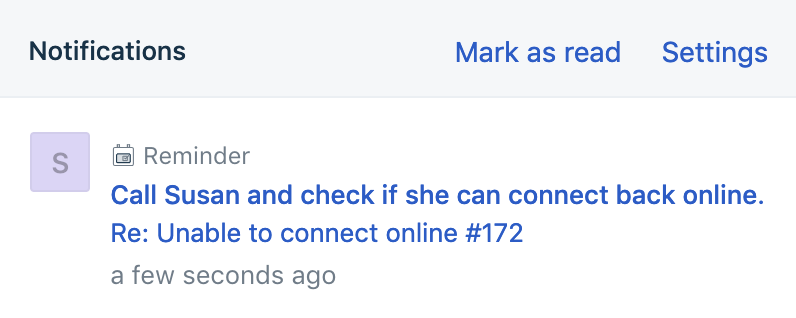
You'll receive an alert when the todo is due, via desktop notifications (you need to have enabled notifications from Freshdesk for this to work). You'll also receive an email from Freshdesk when there are todos due on a particular day.
Was this article helpful?
That’s Great!
Thank you for your feedback
Sorry! We couldn't be helpful
Thank you for your feedback
Feedback sent
We appreciate your effort and will try to fix the article