You can monitor such tickets by clicking the Star icon within that ticket. Once you do, you'll receive email notifications of all forthcoming conversations made on the ticket.
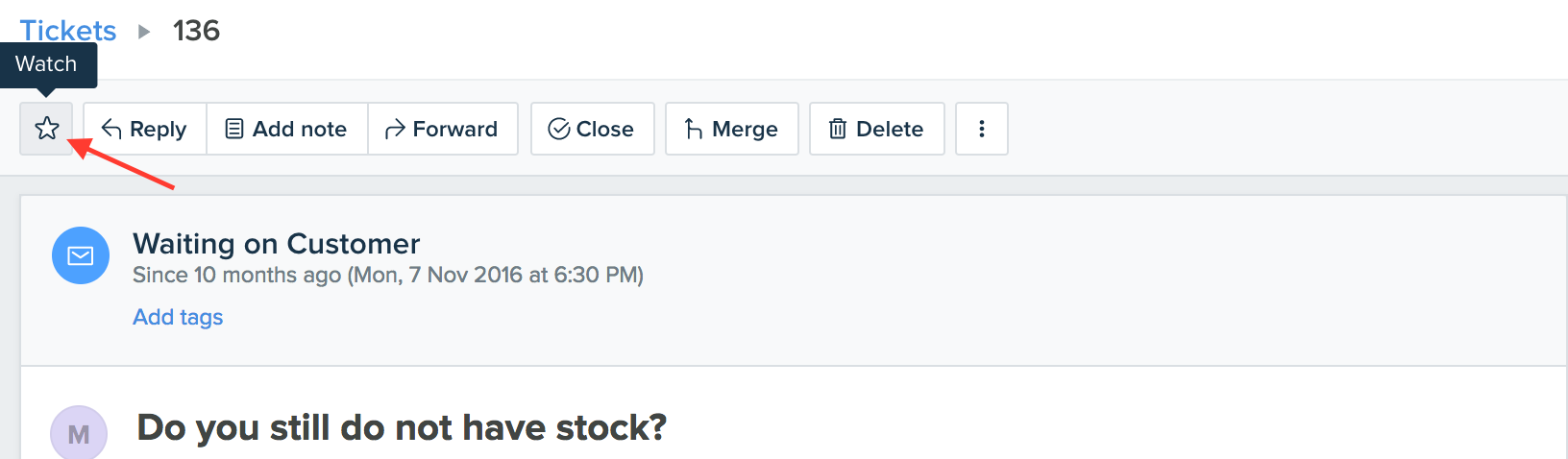
A quick guide to monitoring important tickets:
- Login to your support portal.
- Click on the Tickets icon on the left panel to open up your list of tickets.
- Open up any ticket of your choice, which you'd like to monitor/watch.
- Click on the Watch (w) button and then click on + Add me to add yourself as a watcher.
- This ticket will now be added to your watched tickets list, which can be found on the Tickets I am Watching view.
You can remove yourself from being a watcher on a ticket by clicking the Star icon and then click on the - symbol next to your name. You can add other agents as watchers to a ticket; however, you can only remove yourself from the watcher list.
Tip: The keyboard shortcut for adding and removing yourself as a watcher on tickets is the W key.
Was this article helpful?
That’s Great!
Thank you for your feedback
Sorry! We couldn't be helpful
Thank you for your feedback
Feedback sent
We appreciate your effort and will try to fix the article