With Freshdesk, you can create articles for all your customers, or restrict articles for select user segments. You might want to do this for certain reasons:
- Prevent solution articles with sensitive information from being displayed publicly.
- Show solution articles with information about a company to just contacts from that company.
- Allow only your premium customers to read solution articles.
- Share content internally with your team
You can apply this setting to any folder (and the solution articles in them) by editing its properties. Go to Solutions > select the required category and check the box next to the folders you are looking to change the visibility for, click on the 'Visible to' dropdown and choose to have the folders visible to:
- All users
- Logged in users
- Agents
- Select companies
- Bot
- Contact Segments (Estate plan and above)
- Company Segments (Estate plan and above)
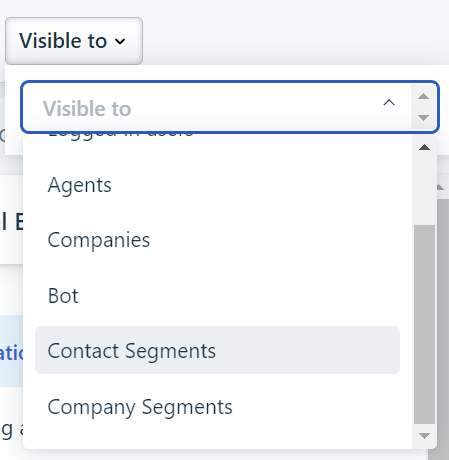
Contact and Company Segments can be customized further and you can refer to this article to learn more.
These settings will apply to the portal and the help widget. However, the widget does not support articles restricted to bots and agents.
Was this article helpful?
That’s Great!
Thank you for your feedback
Sorry! We couldn't be helpful
Thank you for your feedback
Feedback sent
We appreciate your effort and will try to fix the article