Possible Questions:
- How can an admin can configure a signature on behalf of an agent?
- How can an agent configure their own signature?
Resolution Path:
How can an admin can configure a signature on behalf of an agent?
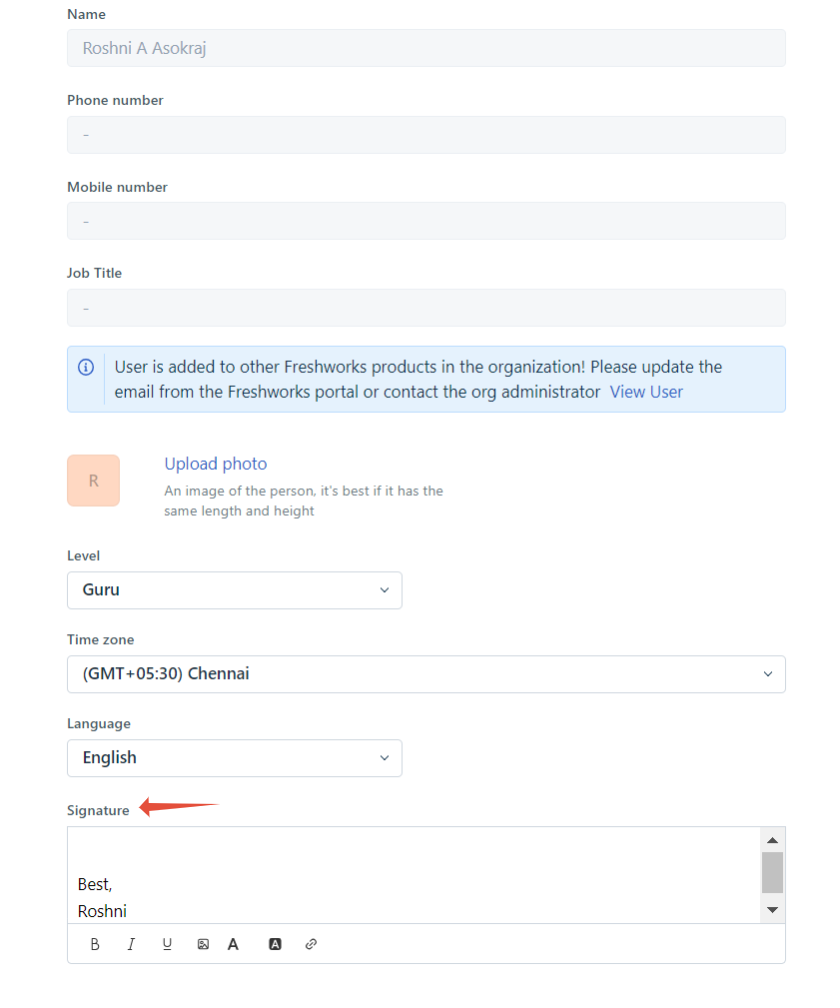
To do this, the admin has to navigate to Admin>Team>Agents and click on the Edit option next to the agent whose signature has to be changed. Under the Signature section, they can configure the signature and click on the Update Agent option.
A screenshot for reference:
How can an agent configure their own signature?
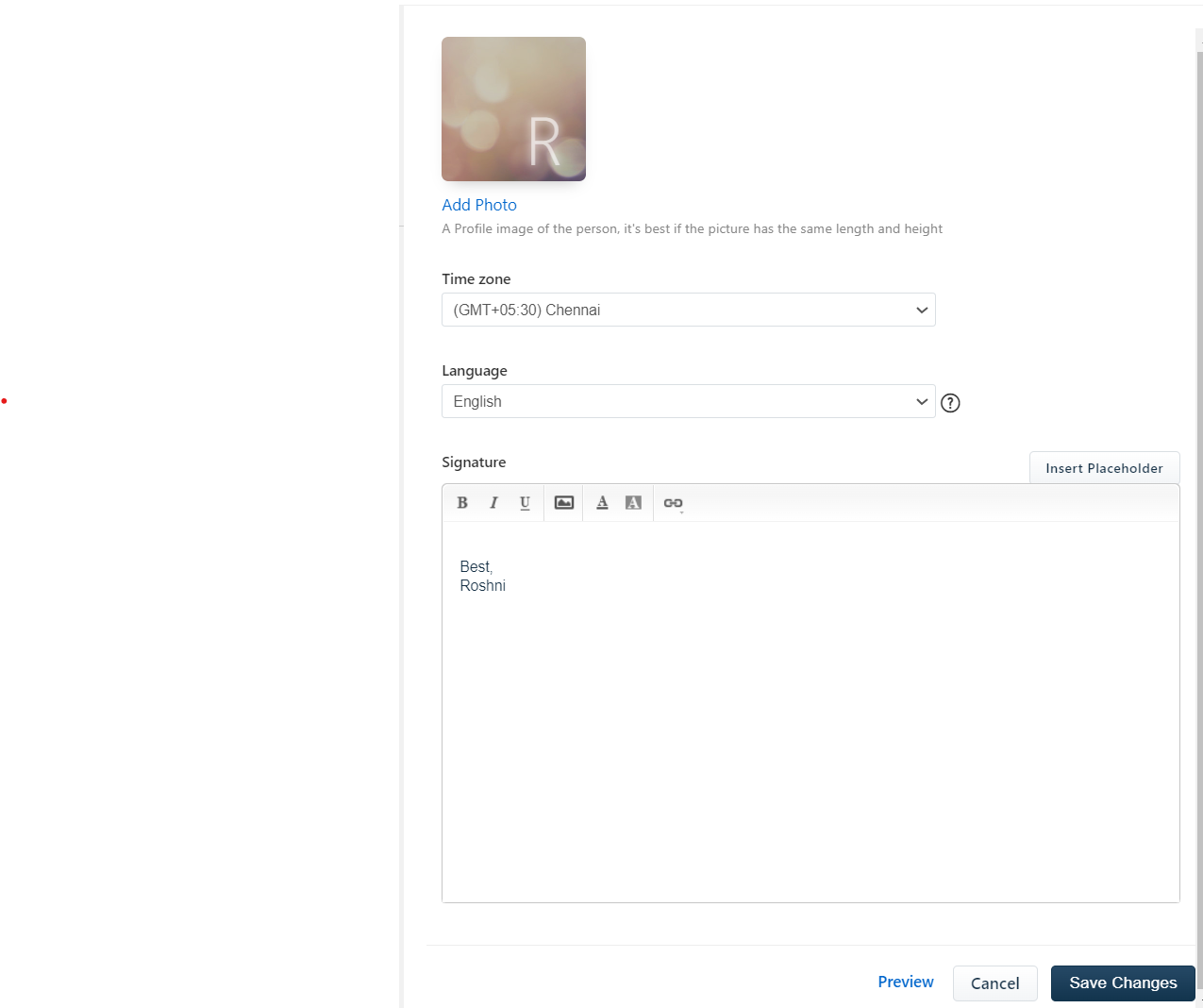
The agent can also configure their own signature by clicking on their profile picture icon on the top right corner of their screen and by choosing the Profile Settings option. On the page they are redirected to, there will be a section called Signature where they can set up their signature and click on the Save Changes option.
Screenshot for reference:
Was this article helpful?
That’s Great!
Thank you for your feedback
Sorry! We couldn't be helpful
Thank you for your feedback
Feedback sent
We appreciate your effort and will try to fix the article