Now greet your every caller with a custom welcome message.
Quick Guide on setting up the Welcome Message
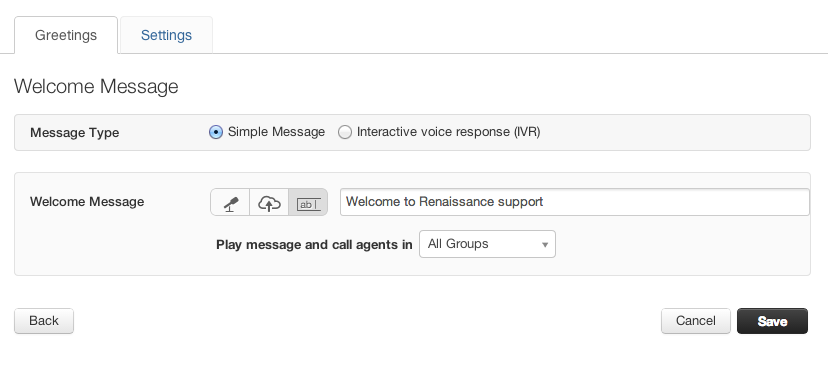
- Click on Admin > Channels > Phone.
- You will see a list of all numbers you have purchased.
- Click on the Edit button next to the number which should play welcome message when customers call.
- This will take you to the manage numbers page.
- Click on the Simple message radio button under the Greetings tab.
- You can record a new message/ upload an audio file.
- You can also type in the Welcome message text box and use the text-to-speech option to configure your welcome message.
- You can direct the call to a particular group of agents after the message is played. If you want all your agents to receive the call, pick "All groups" from the dropdown.
- Hit Save once you are done.
- Now the welcome message is played to every incoming call to this number.
Was this article helpful?
That’s Great!
Thank you for your feedback
Sorry! We couldn't be helpful
Thank you for your feedback
Feedback sent
We appreciate your effort and will try to fix the article