To obtain the total number of tickets created by each Company in Freshdesk, follow these steps:
1. Go to the Analytics tab and select the New Report option (applicable if you are on the Pro or Enterprise plan).
2. Add a widget and apply the filters as in the below sample screenshot:
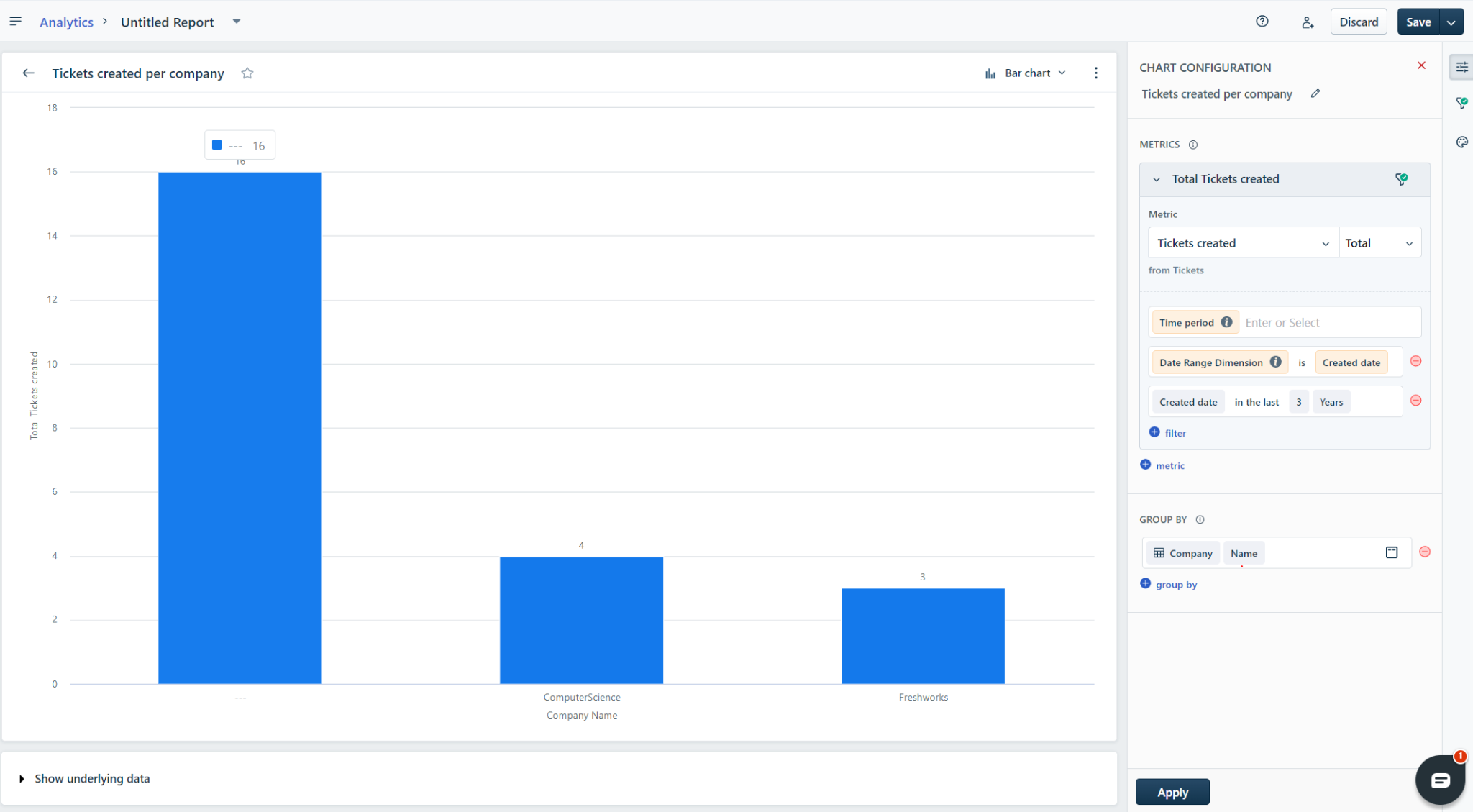
3. Apply additional filters if necessary.
4. Use the Show Underlying data option to access the ticket-level data.
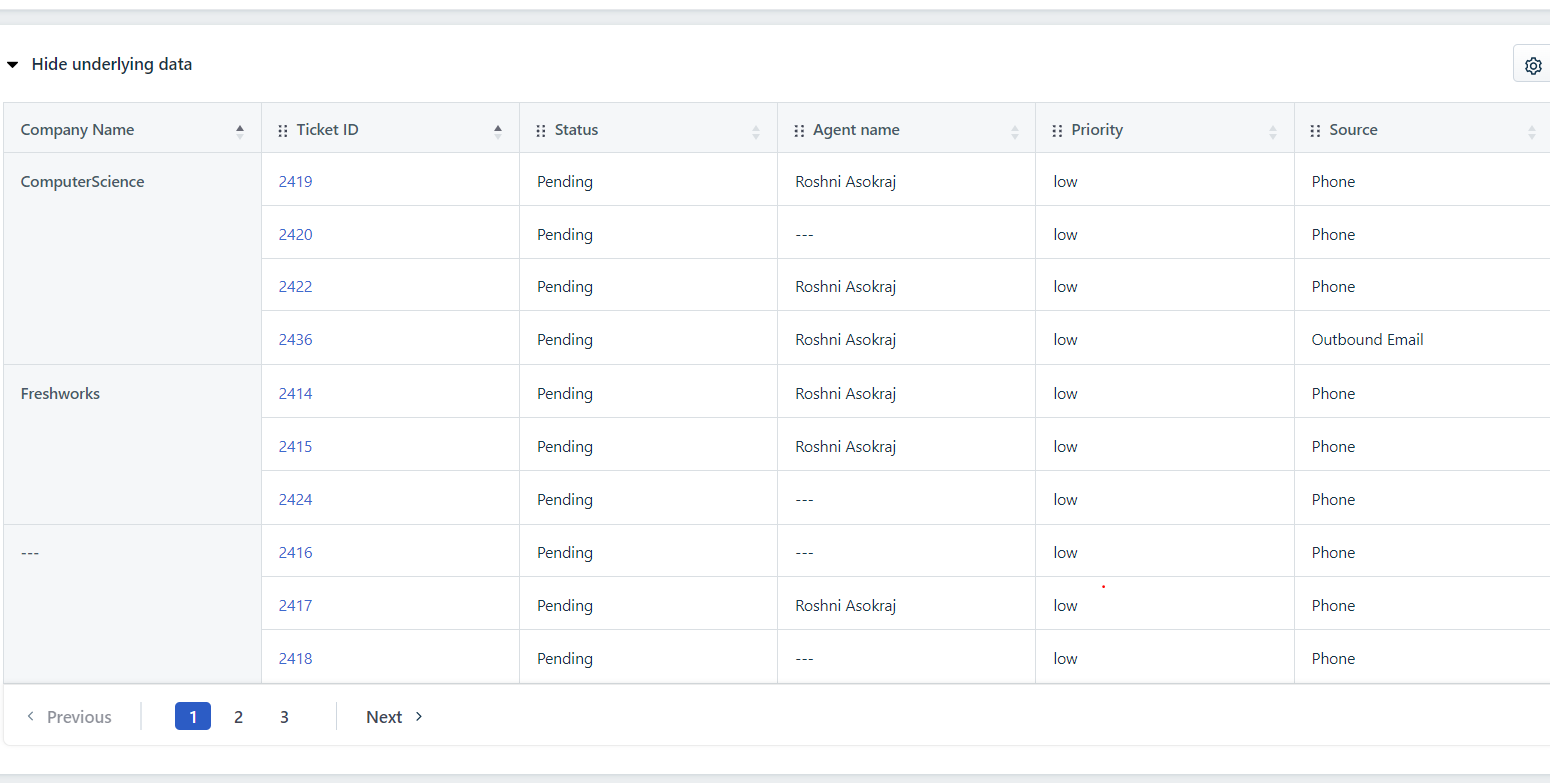
5. Save the report and export it if required.
Was this article helpful?
That’s Great!
Thank you for your feedback
Sorry! We couldn't be helpful
Thank you for your feedback
Feedback sent
We appreciate your effort and will try to fix the article