When an agent mistakenly sends a wrong reply in a ticket which was meant for another ticket, or if the agent makes a mistake when they respond to a customer, they'll get 10 seconds to undo and edit their response.
Whenever an agent sends a second response in a five-minute window, a suggestion window will pop up to enable undo send feature as shown in the image below :
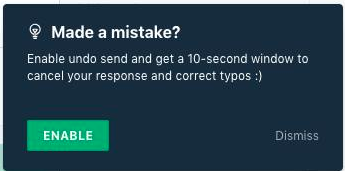
Alternatively, you can toggle this option by clicking on Profile picture--> Profile settings--> and enable Undo Send option. Once this is enabled , you will find a option to undo the reply as shown in the image below:
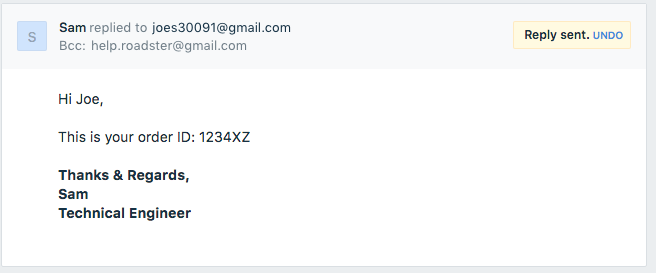
After you hit send, the reply will be on buffer for 10 seconds. After 10 seconds, it will be successfully sent and you could recall the reply before that if required.
Was this article helpful?
That’s Great!
Thank you for your feedback
Sorry! We couldn't be helpful
Thank you for your feedback
Feedback sent
We appreciate your effort and will try to fix the article