You can create automation rules to add tags to a ticket based on the ticket properties. Please follow the below steps to set up a ticket updates automation rule for adding tags to a ticket.
Login to your Freshdesk account as an administrator.
Navigate to Admin from the menu. Select Workflows and click on Automations.
Choose the Tickets tab and under Ticket Creation, click on the New Rule button.
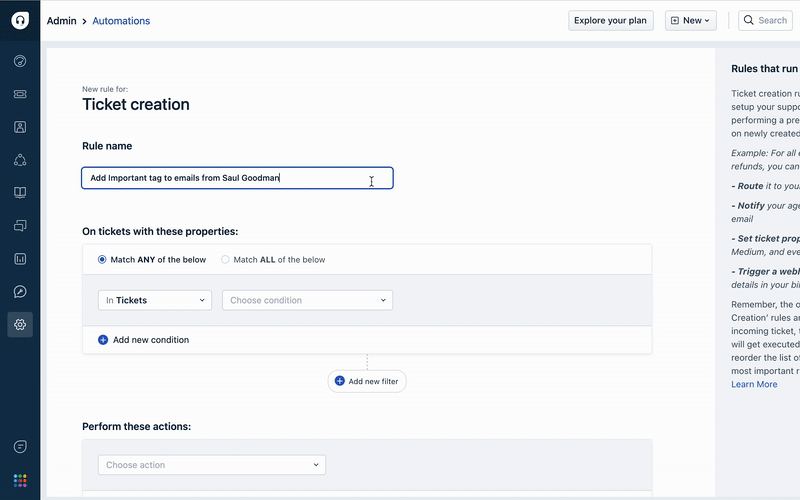
Give your rule a name.

For the ‘On tickets with these properties:’ section, configure ticket properties for which you wish to add tags.
Provide the following details under the ‘Perform these actions:’ section.
Select ‘Add tag’ option in the ‘Choose action’ dropdown.
Select the one or more tags you wish to add
Click on ‘Preview and Save’, and then ‘Save and enable’.
Please reach out to support@freshdesk.com if you require further assistance in setting up automation rules for adding tags to tickets.
Was this article helpful?
That’s Great!
Thank you for your feedback
Sorry! We couldn't be helpful
Thank you for your feedback
Feedback sent
We appreciate your effort and will try to fix the article