Possible queries:
- 1. We are going to launch a webinar so we want to host the webinar banner in our agents' signature. How can we do this?
- 2. We are launching a new brand and we have a banner that has the launch details. How do we add it to our agents' signatures?
Resolution Path:
1. We are going to launch a webinar so we want to host the webinar banner in our agents' signature. How can we do this?
2. We are launching a new brand and we have a banner that has the launch details. How do we add it to our agents' signatures?
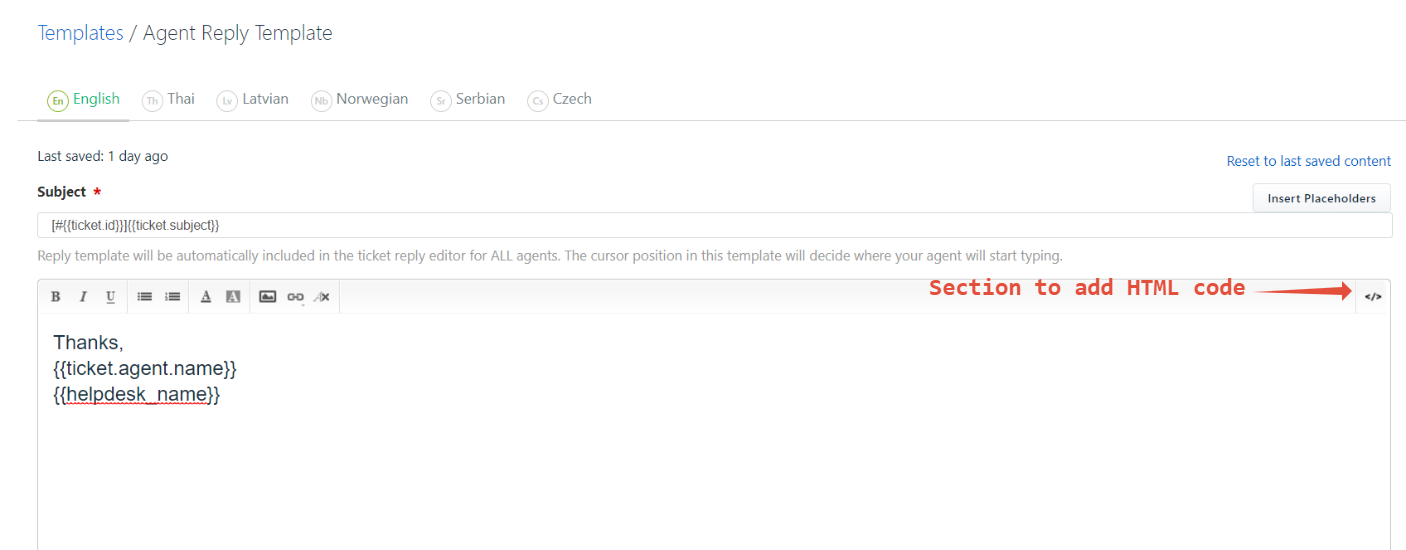
If the customer has the HTML code of the banner, they can they can navigate to Admin>Workflows>Email Notifications>Template>Agent Reply Template. There will be an HTML icon on the top right corner of the content box where they can add the HTML code and save the changes. Adding a screenshot for reference:
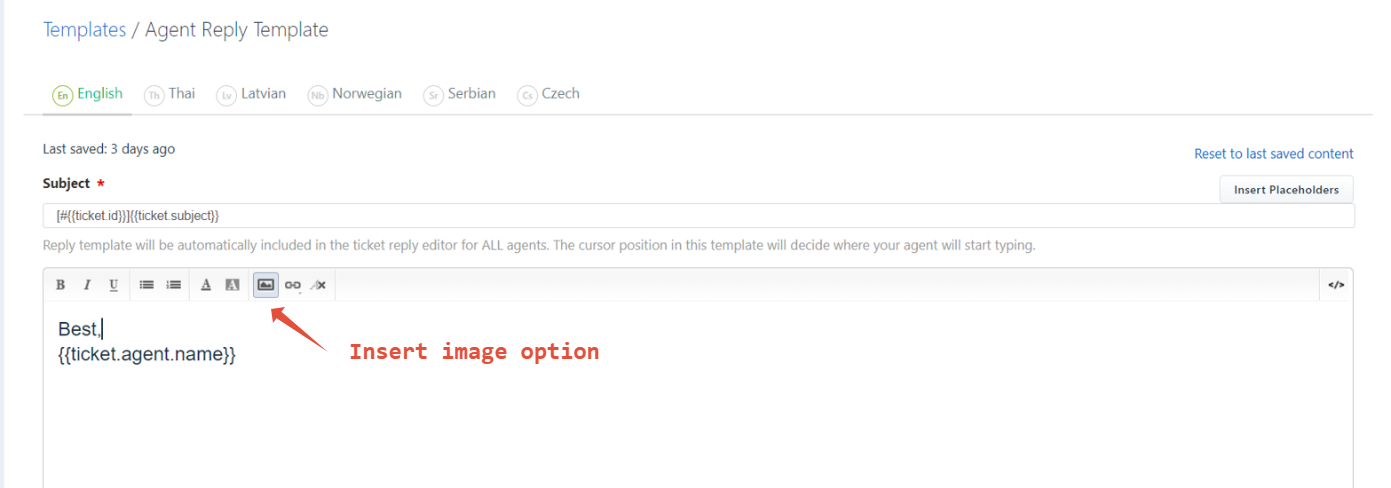
If it's in the form of an image, they can click on the Insert Image button as highlighted in the below screenshot and save the changes:
Was this article helpful?
That’s Great!
Thank you for your feedback
Sorry! We couldn't be helpful
Thank you for your feedback
Feedback sent
We appreciate your effort and will try to fix the article