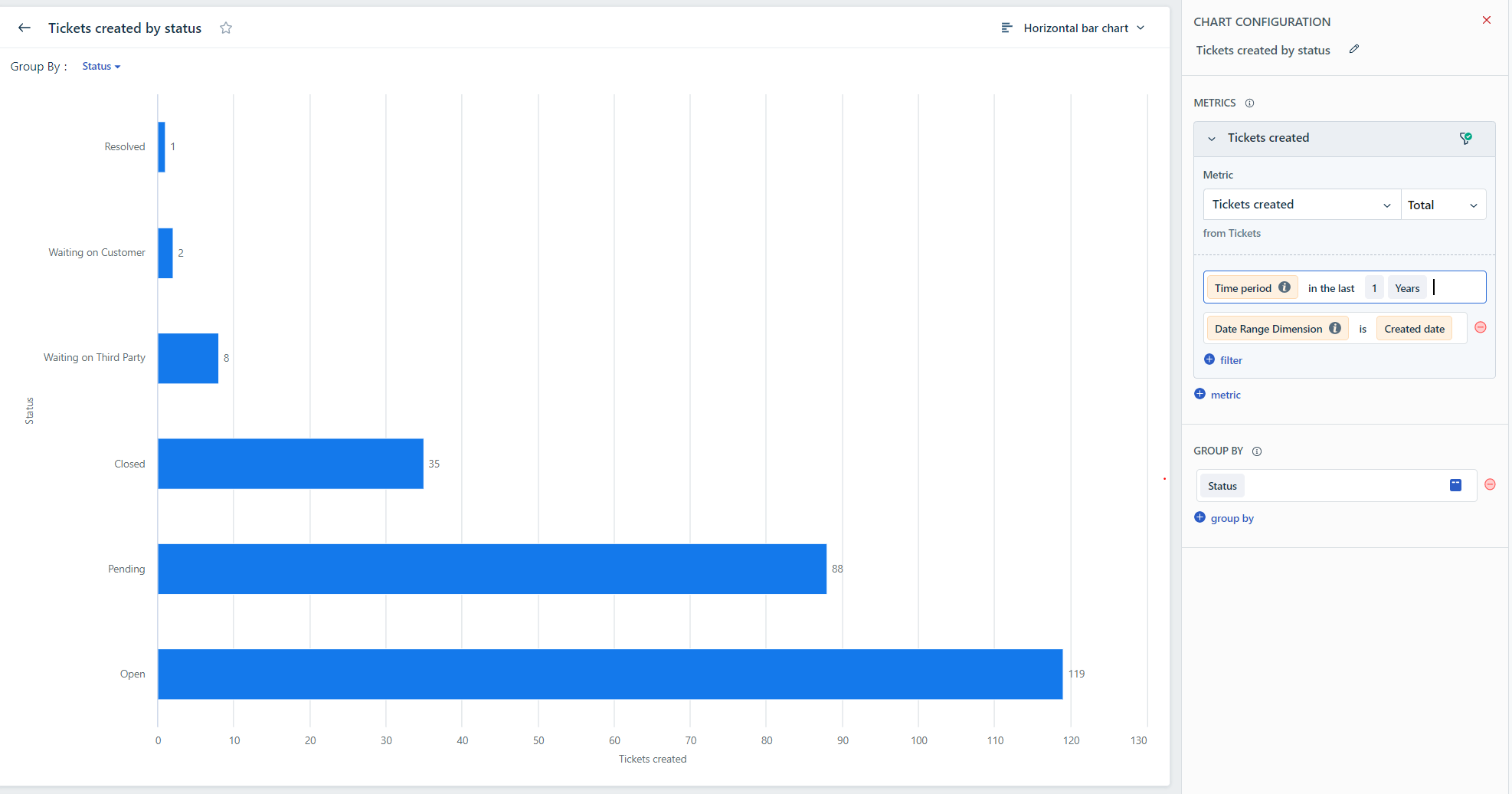
In order to retrieve the combined number of Open, closed, and unresolved tickets, you can make use of the Helpdesk Ticket Volume curated report. Within the Created tab, you will come across the "Tickets created by status" widget, which presents a breakdown of ticket status. Here's a sample screenshot:
Alternatively, if you have a subscription to the Pro or Enterprise plan, you have the option to generate a custom report. Simply select the New Report function, add a widget, and apply the desired filters as in the provided screenshot.
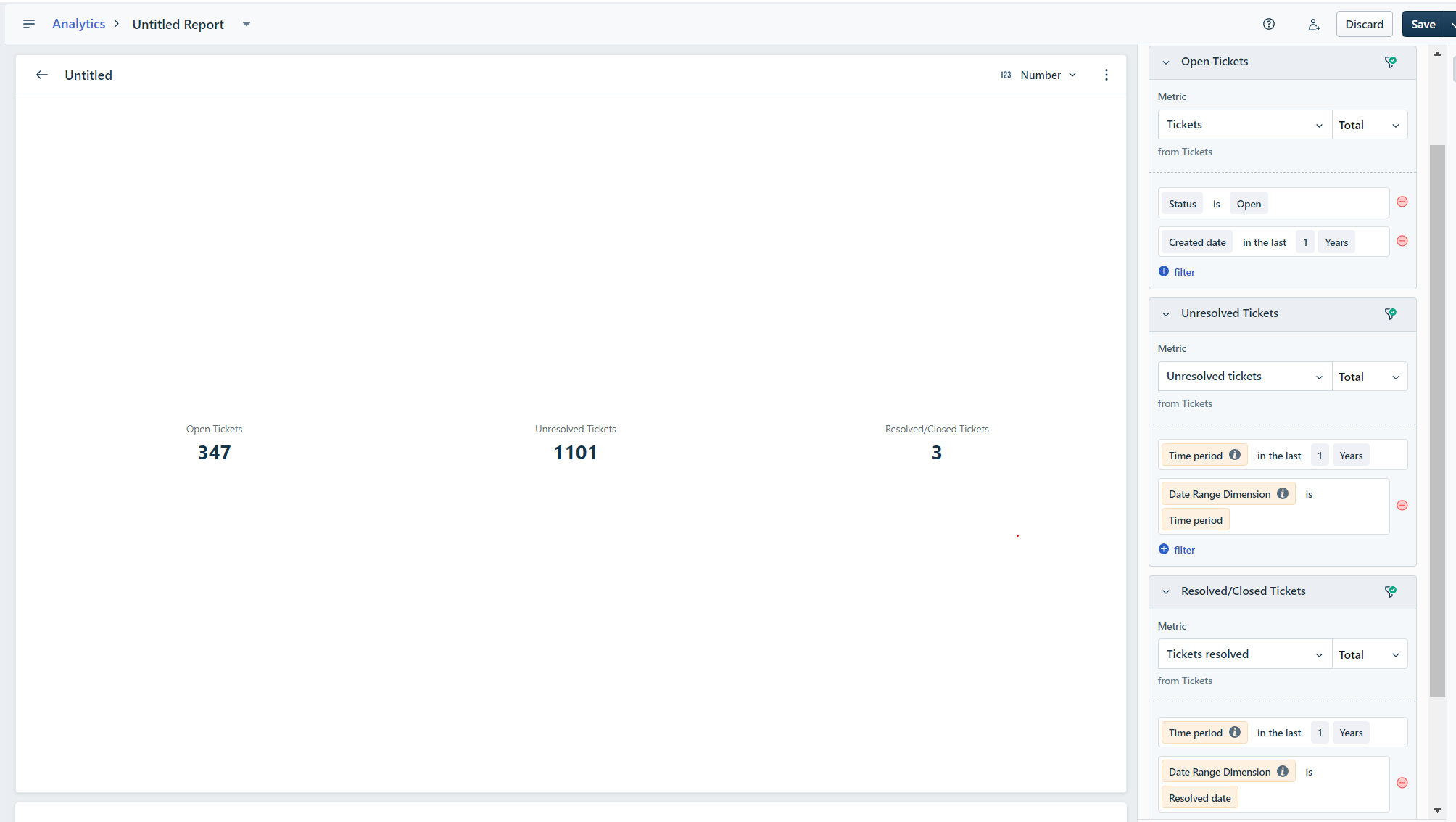
You can further customize the report by incorporating additional filters, save it for future use, and even schedule the widget to receive regular exports, such as on a daily basis.
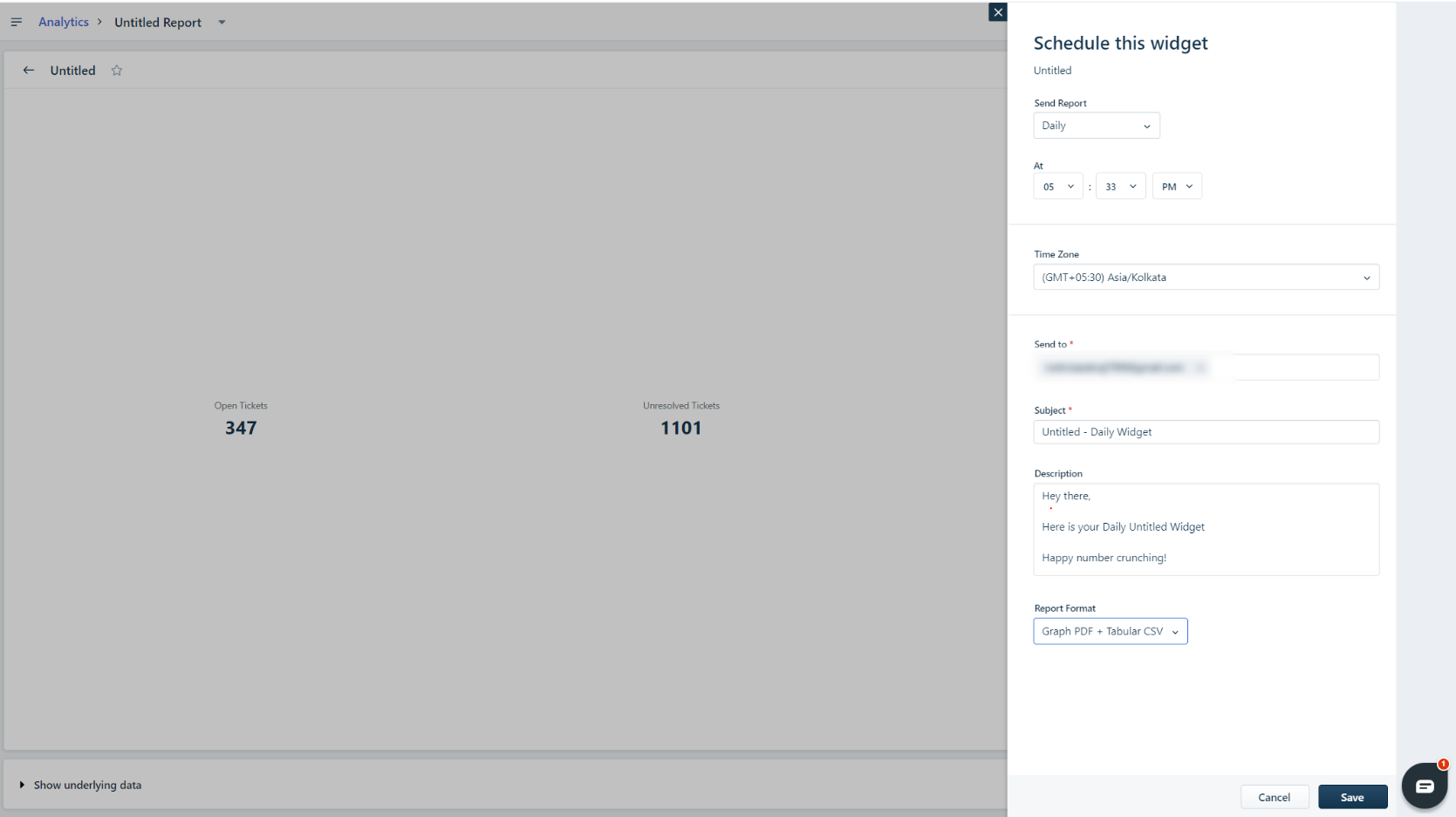
To schedule the widget, locate the three dots within the widget, select the Schedule option, and configure the schedule according to your needs. A sample screenshot is provided for your reference.
Was this article helpful?
That’s Great!
Thank you for your feedback
Sorry! We couldn't be helpful
Thank you for your feedback
Feedback sent
We appreciate your effort and will try to fix the article