We can use Automations to assign a specific Agent or a specific Group to a ticket automatically at the time of ticket creation in the following way. This can be done by creating a new automation rule.
1. Login to your Freshdesk account as an Administrator.
2. Under Admin > Workflows > Automations > Ticket creation in Freshdesk, click on "New Rule"
For assigning all the tickets to one particular agent or group,
Here is an example : Check if 'Priority' is 'Low' OR 'Medium' and assign it to Group > 'Acccount Managers' and Agent > 'Dummy A'
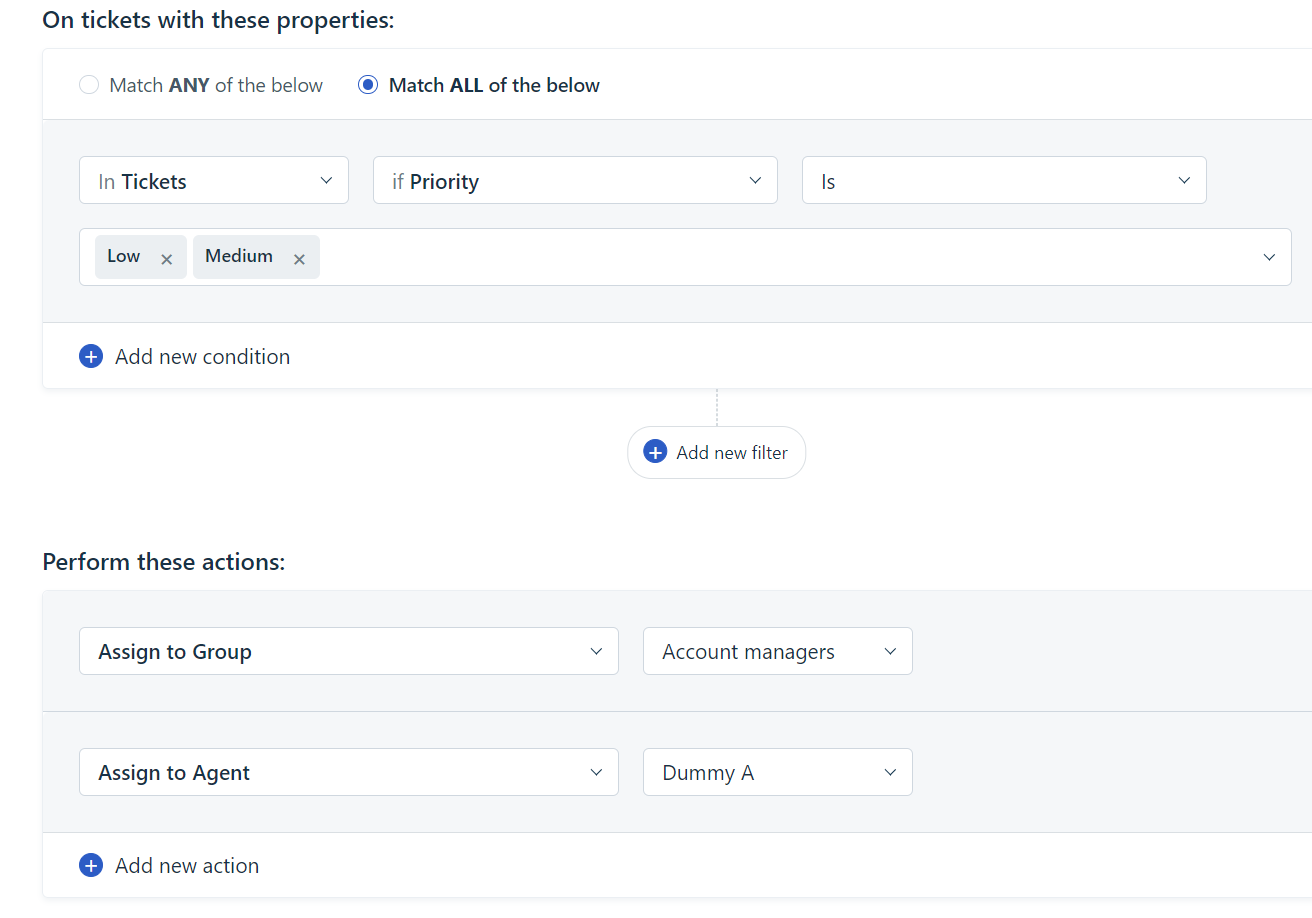
This rule will assign all new incoming tickets which have the priority as Low OR Medium to the Group "Account Managers" and assign the agent as "Dummy A".
Was this article helpful?
That’s Great!
Thank you for your feedback
Sorry! We couldn't be helpful
Thank you for your feedback
Feedback sent
We appreciate your effort and will try to fix the article