Quick guide to set up Parent Child Ticketing:
- Login to your Freshdesk portal as an Administrator
- Go to Admin > Support Operations > Advanced Ticketing
- Enable the toggle for Parent-Child Ticketing

Parent Child Ticketing will now be enabled in your account.
A parent ticket can be created in two ways:
1. A parent ticket can be created from an existing ticket by adding a child ticket.
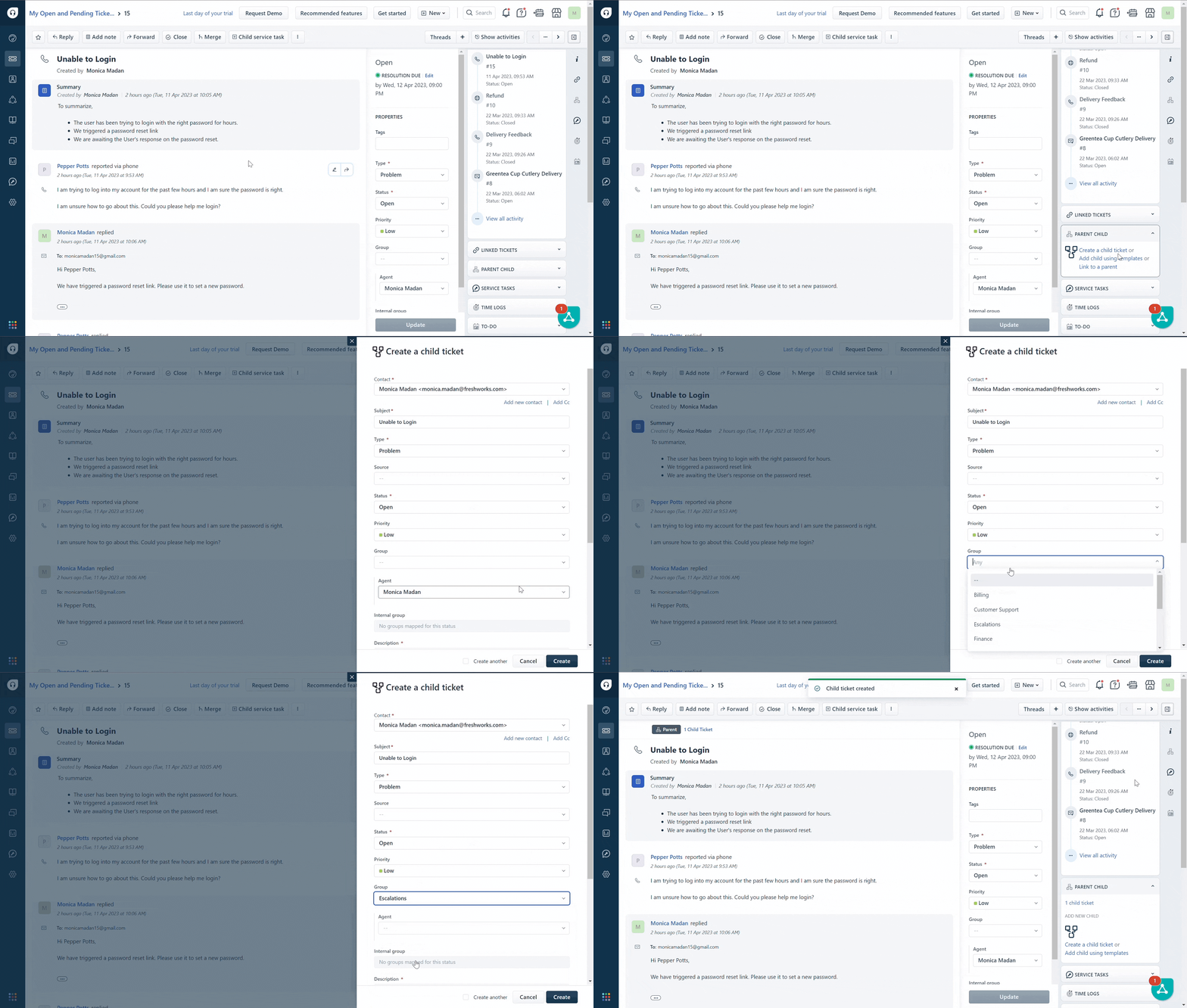
2. A new ticket can be created and made as the parent ticket.

Was this article helpful?
That’s Great!
Thank you for your feedback
Sorry! We couldn't be helpful
Thank you for your feedback
Feedback sent
We appreciate your effort and will try to fix the article