To identify whether an account has whether online/offline payment mode enabled,
- Log into Chargebee and input the account ID
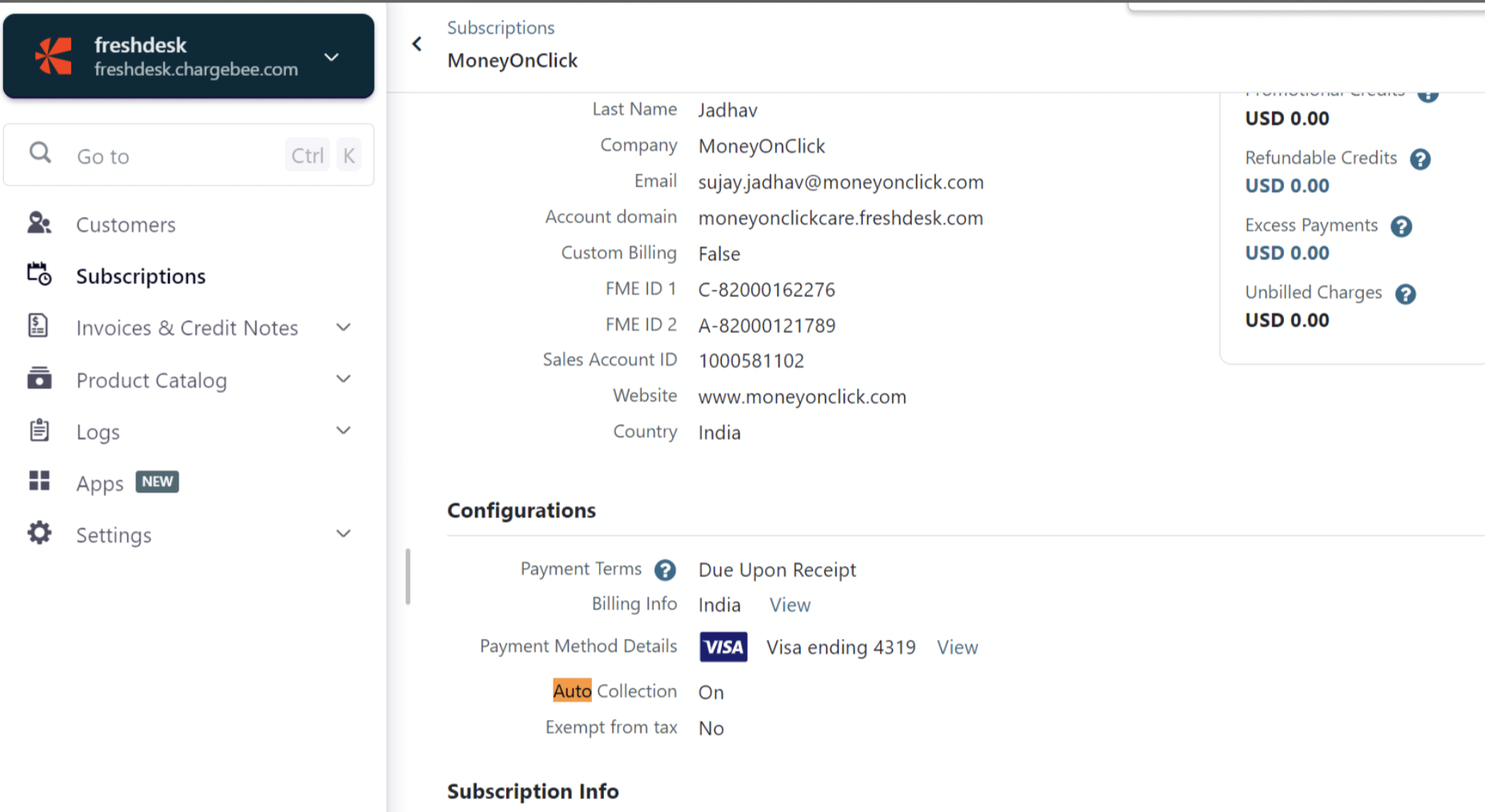
- Navigate to configurations
- If auto-collection is set to "ON", then it's an online payment-enabled account
Was this article helpful?
That’s Great!
Thank you for your feedback
Sorry! We couldn't be helpful
Thank you for your feedback
Feedback sent
We appreciate your effort and will try to fix the article