Possible queries:
Unable to attach files though the size is less than 20 MB
Receiving the error 'Your attachment(s) type is/are not supported' while adding attachment.
Resolution Path:
You can control agents and customers from sending and receiving specific file types while exchanging messages on tickets.
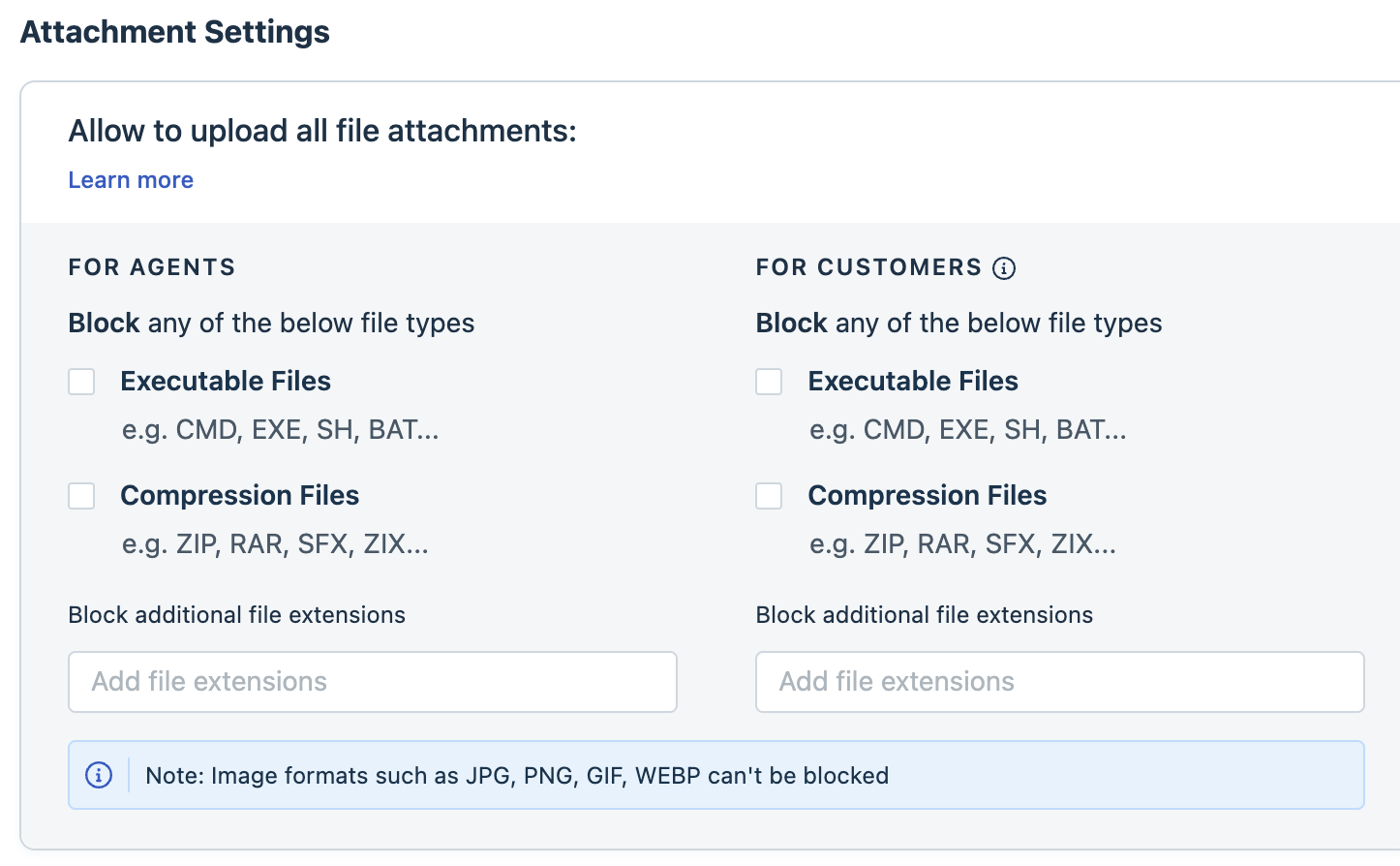
To check if the file type is restricted,
- Log in to your Freshdesk account as admin and navigate to Admin > Settings > Security.
- Scroll down to Attachment Settings and ensure that the file extensions aren't blocked as shown in the snapshot below.
Was this article helpful?
That’s Great!
Thank you for your feedback
Sorry! We couldn't be helpful
Thank you for your feedback
Feedback sent
We appreciate your effort and will try to fix the article